

If we are not your accountant or tax agent,
we won’t have access to your ATO records.
To help us provide accurate and personalised advice around your super contributions — including whether you can make additional contributions, access unused concessional cap amounts, or claim tax deductions — we kindly ask you to follow the steps below to download and send us your ATO super summary.
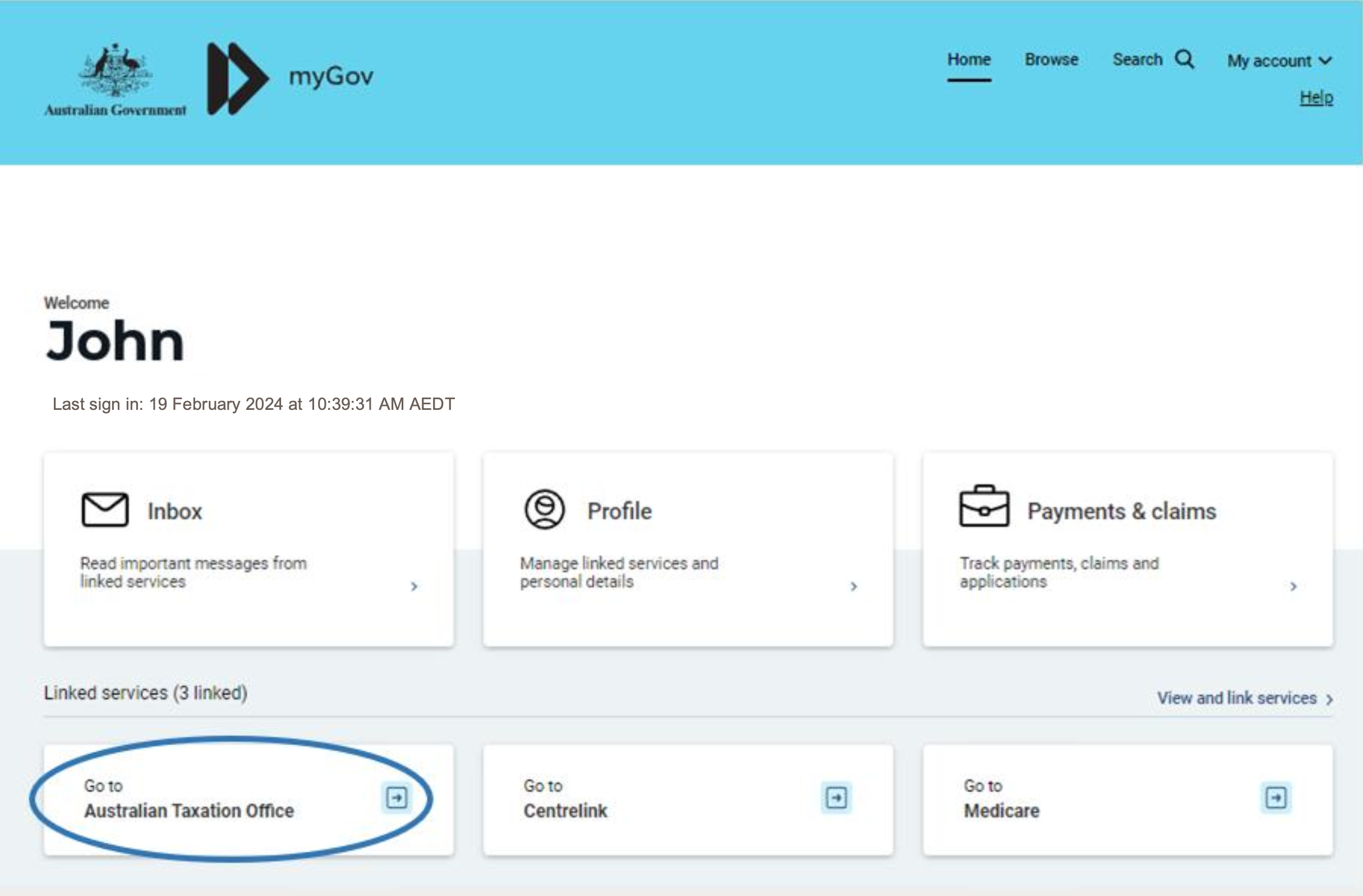
Step 1: Log in to your myGov account
– Go to www.my.gov.au
– Log in using your username and password
– If you haven’t linked the ATO service yet:
• Click “Link a service”
• Choose the Australian Taxation Office and follow the prompts
Step 2: Access Your Super Details
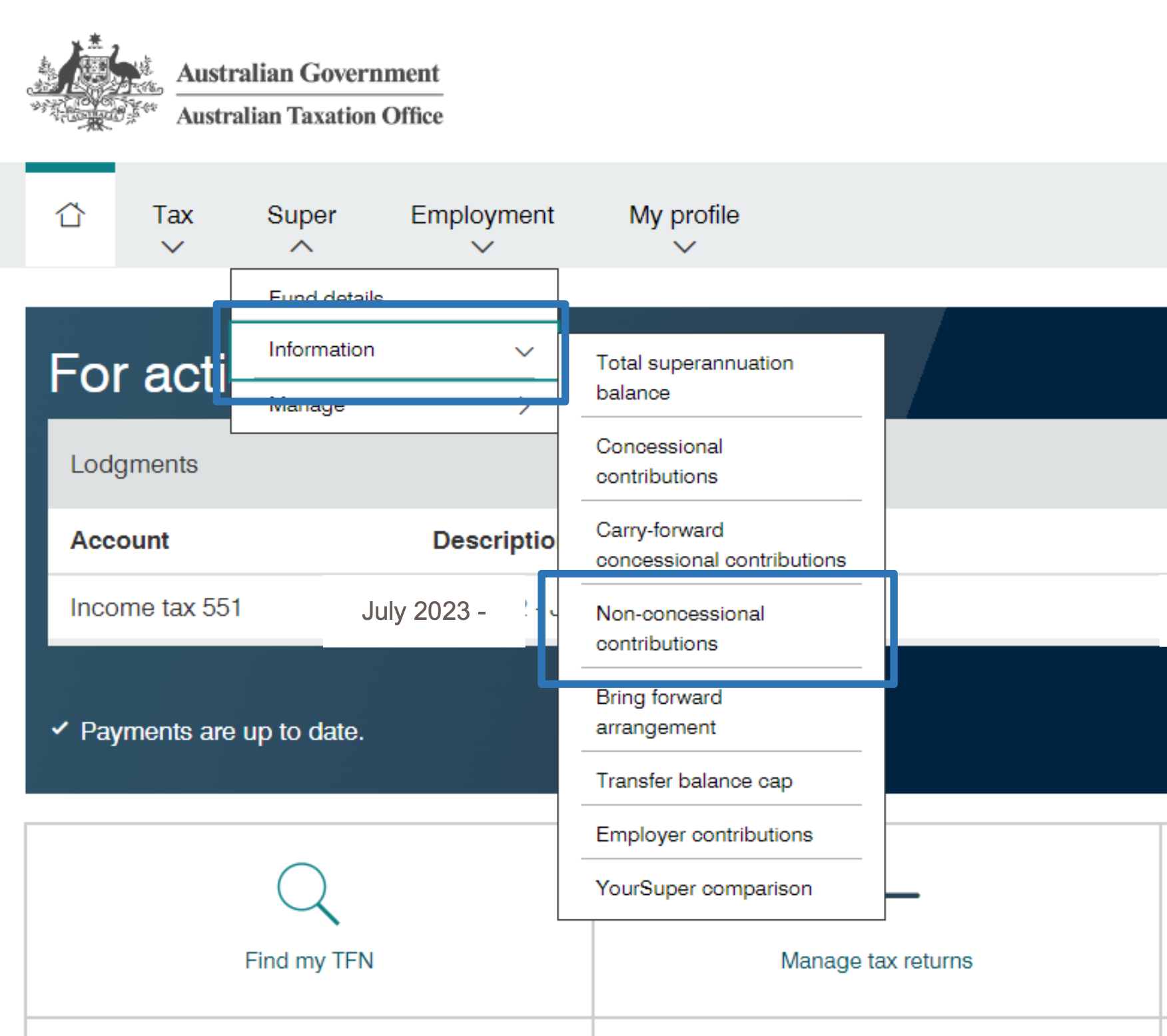
- Once in your ATO portal, click “Super” from the menu
- You’ll now see your Superannuation Dashboard
Step 3: View Contribution & Cap Information
- Scroll to the section titled “Concessional contributions” and “Non-concessional contributions”
- Here, you will find:
– Your total contributions for the financial year
– Your concessional and non-concessional caps
– Your unused concessional cap amounts (carried forward from previous years, if any)
– Your total super balance as at 30 June of the prior financial year
Step 4: Save or Print Your Details
– Click on “View details” or “Download PDF” (if available)
– If there’s no PDF option, take clear screenshots of:
• Your total concessional and non-concessional contributions
• Unused concessional cap amounts
• Your total super balance (as at 30 June)
Step 5: Send These Documents to Us
Once saved, please get in touch with us to email or transfer the files to our Investment Team.
If you’re unsure or get stuck, we’re happy to walk you through the steps over the phone or via screenshare.